Paste a link
Paste a YouTube video or playlist link. The YouTube player plays it in the Media Cast window, and Media Cast streams its sound to your speakers.

Watch YouTube on your Mac. Hear it on your Sonos rooms.
Paste a YouTube link, choose your rooms, and listen on your local network.
Paste a YouTube video or playlist link. The YouTube player plays it in the Media Cast window, and Media Cast streams its sound to your speakers.
Cast to one or more Sonos rooms, group them, and set the volume. Use Sonos S1 or S2 systems, including older speakers without AirPlay.
Save your own playlists of YouTube links and return to anything in Recently Played.
Every feature is available during a seven-day trial. Media Cast Pro is a one-time lifetime unlock—no subscription.
The video, your playlists, and your rooms, all in one place.
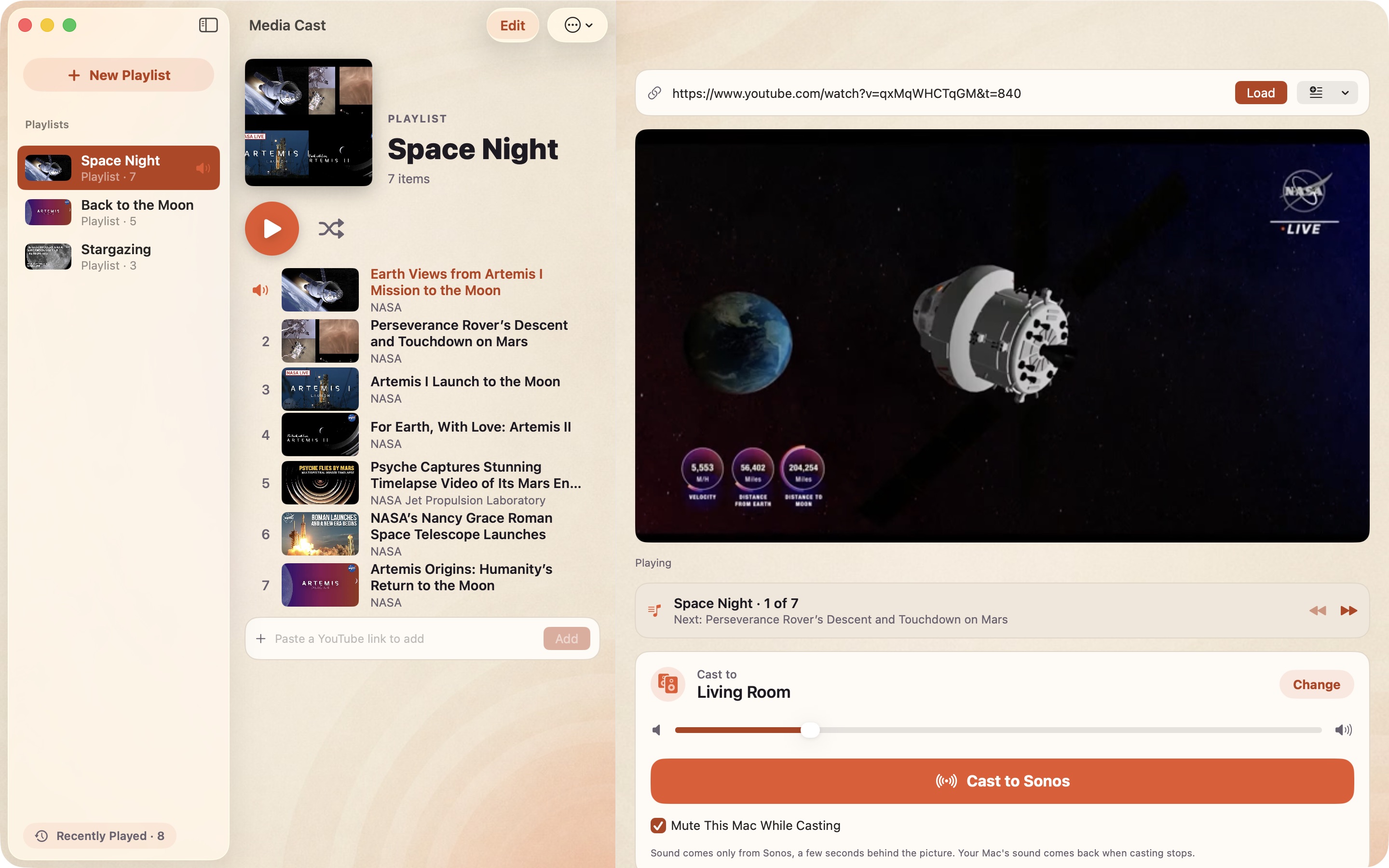
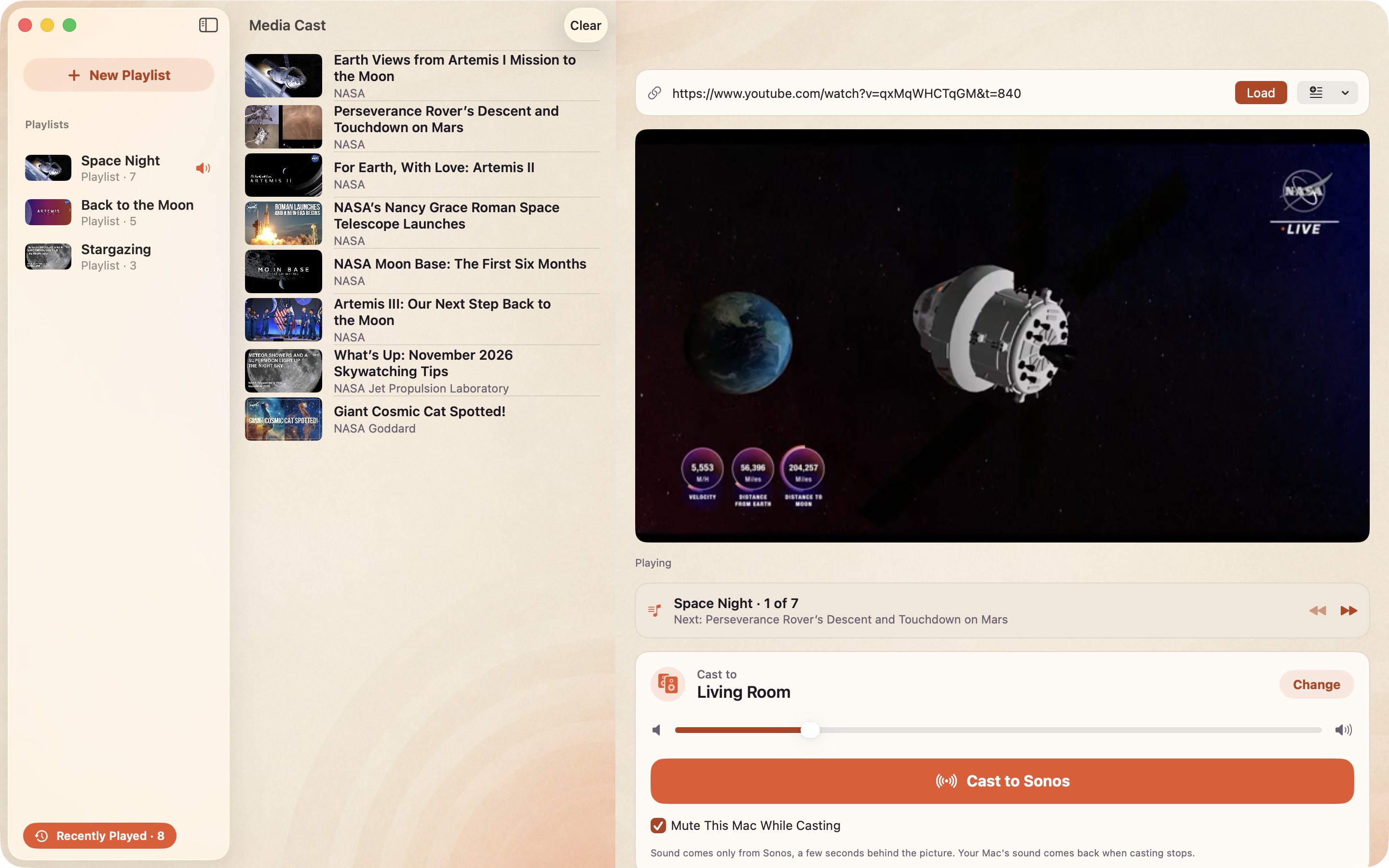
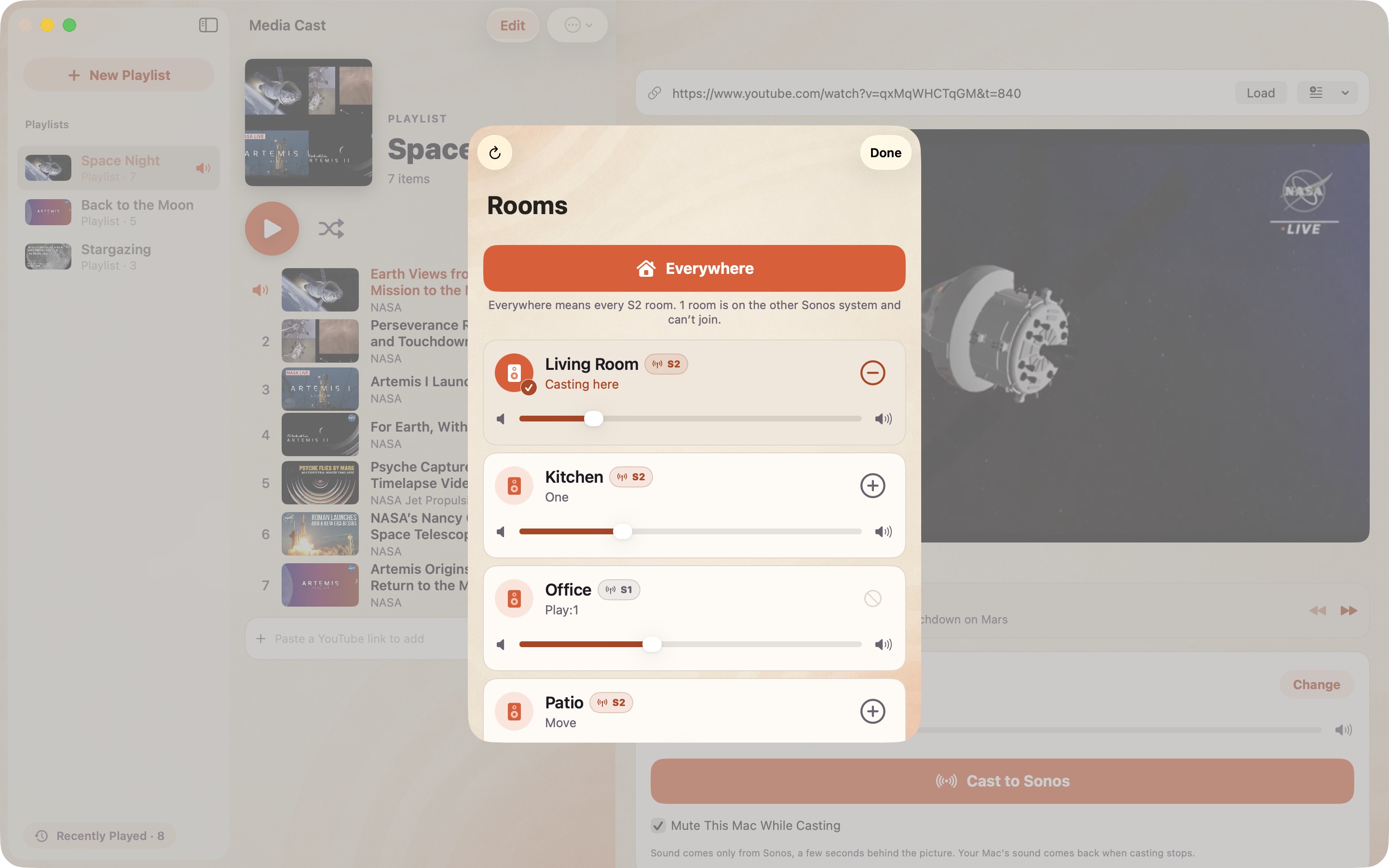
Media Cast captures only its own window's sound, so no screen-recording permission is needed. Keep the video visible while casting; pausing the video or hiding the window stops the cast. Turn on Mute This Mac While Casting to hear the sound only from Sonos, a few seconds behind the picture.
Media Cast is for Mac and requires macOS 15.2 or later. Sonos speakers must be on the same local network. S1 and S2 systems cannot be grouped together. YouTube ads, if YouTube shows them, are left untouched. Nothing is downloaded or saved.
Media Cast is independently developed by Task One LLC and is not affiliated with or endorsed by Sonos, Inc. or YouTube or Google LLC. Sonos is a trademark of Sonos, Inc. YouTube is a trademark of Google LLC.