Set up once, then play
Follow the short setup guide, let Rally find the table by itself, choose who serves first, and start your game. Play to 11 or 21, choose your service period, and win by two.

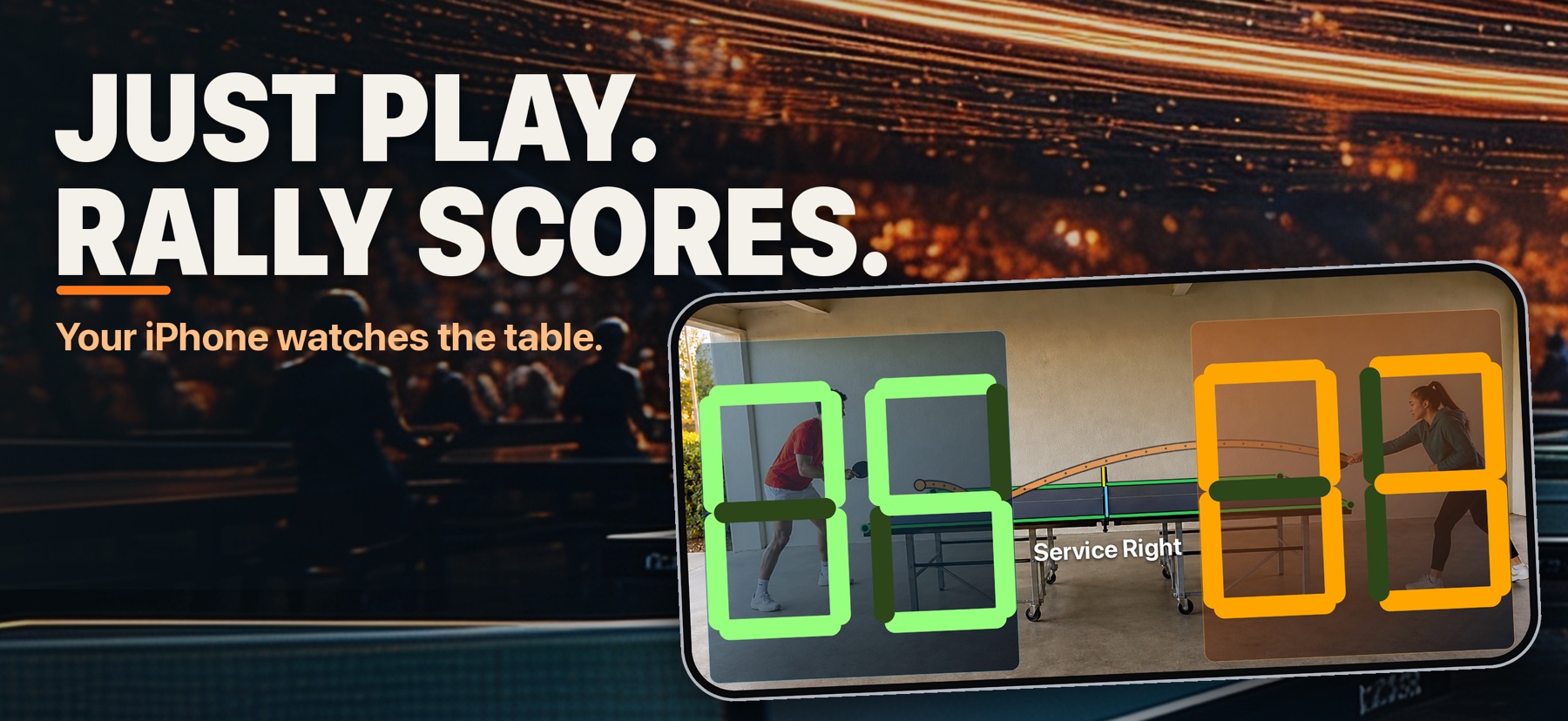
Automatic table tennis scoring. Your iPhone watches the table and keeps score as you play.
Rally uses the iPhone camera to follow the ball and update the score on the phone—without an account, advertising, tracking, or recorded video.
Follow the short setup guide, let Rally find the table by itself, choose who serves first, and start your game. Play to 11 or 21, choose your service period, and win by two.
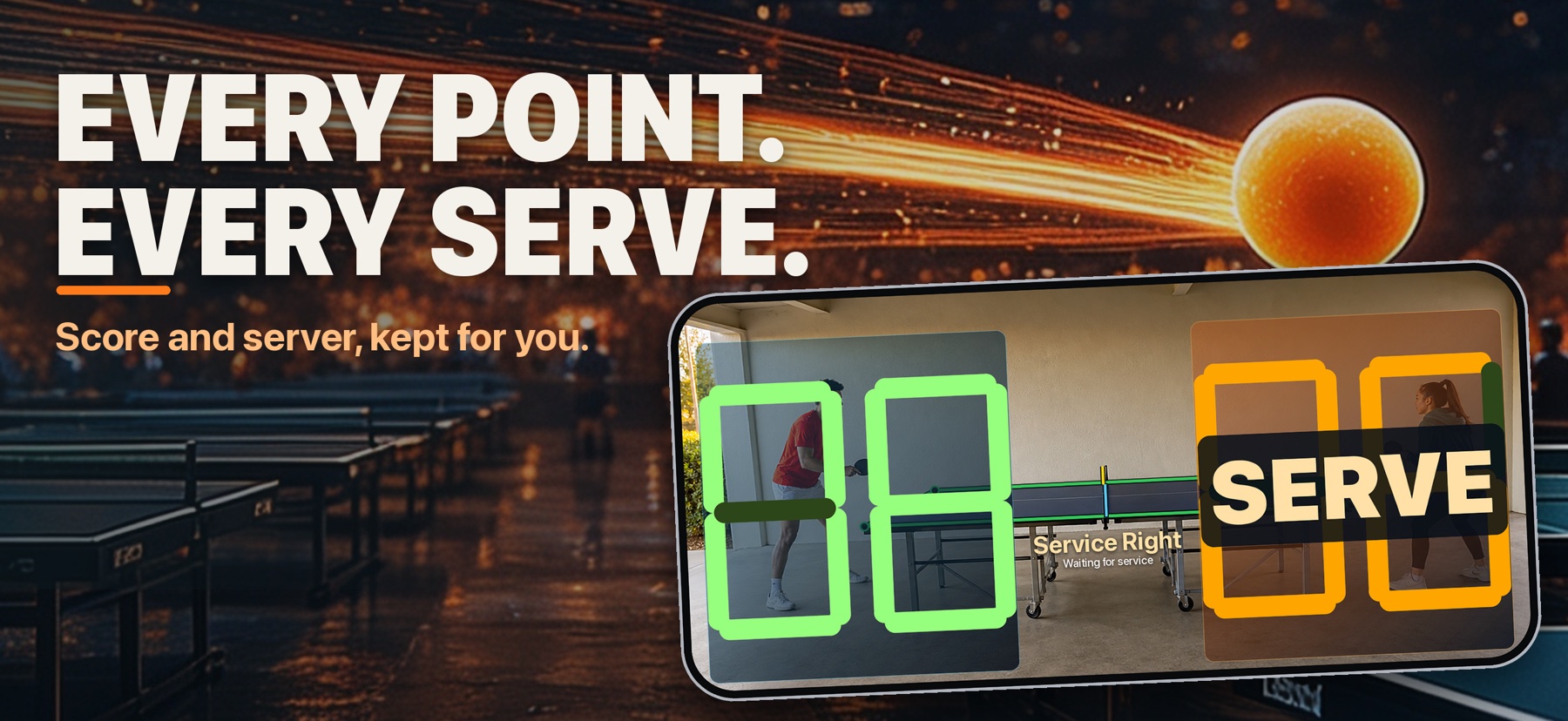
Rally scores every point as it happens. If there is ever a discrepancy, enable voice mode and say “net,” “redo,” “switch server,” or “switch point,” or open Fix score to correct the score by hand.
Full Rally is one optional purchase that unlocks unlimited play. Optional spoken score calls and sound effects are available in Settings.
In the app
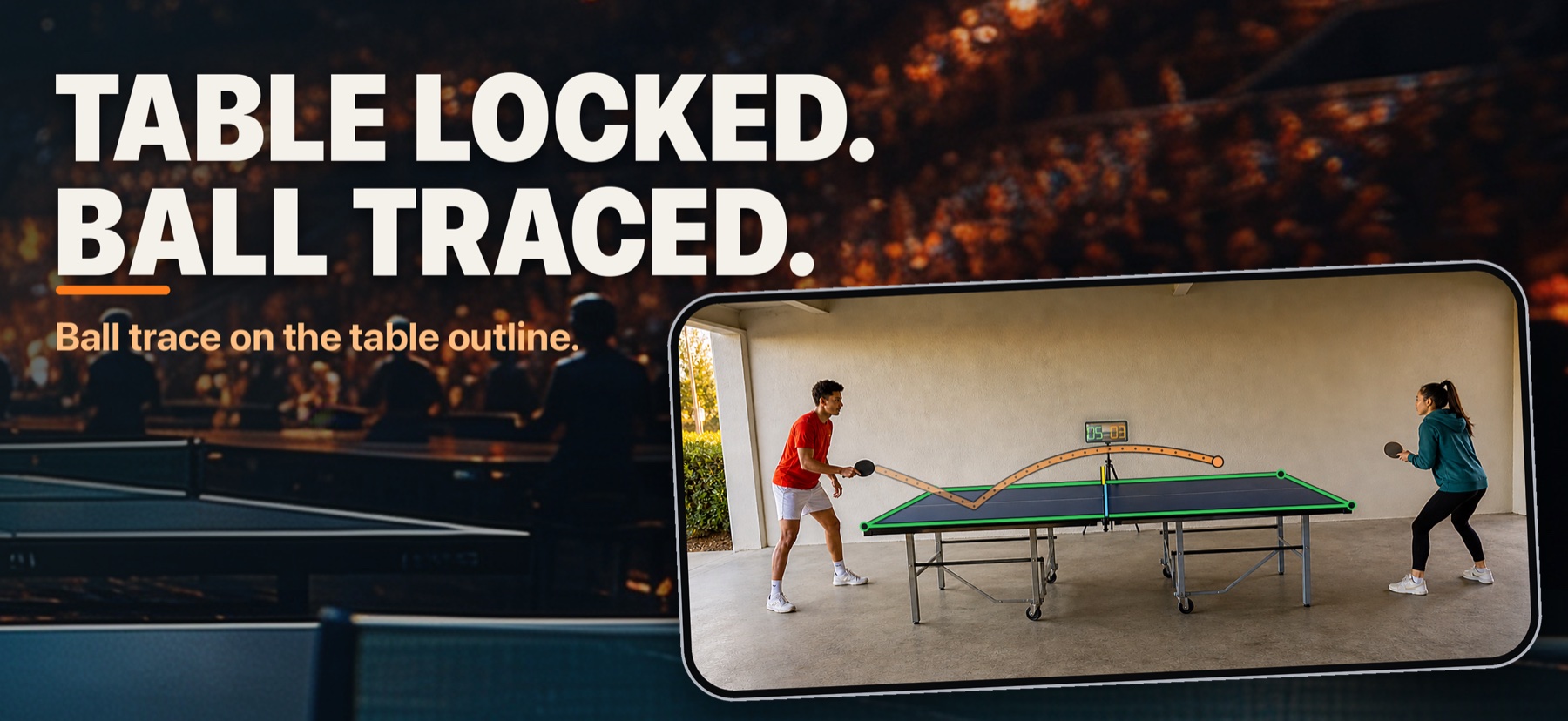
Rally shows the score for each side, who is serving, and the outline it found on your table.
How it plays
See the camera view, the scoreboard, and the ball’s trace together while you play a real game.
Rally is for iPhone, works best on iPhone 13 or newer, and is used in landscape. Keep the phone steady, about 5 to 5.5 feet (1.5 to 1.7 m) high and about 8 feet (2.5 m) back from the table, with all four table corners clearly in view and the table filling most of the frame.
Even light helps, and an orange ball tracks best. Rally finds the table by itself; clear the table area and keep hands, paddles, and balls off the table while it does.
Scoring runs on your iPhone. Rally does not record or upload video or audio.