Face the Admiral
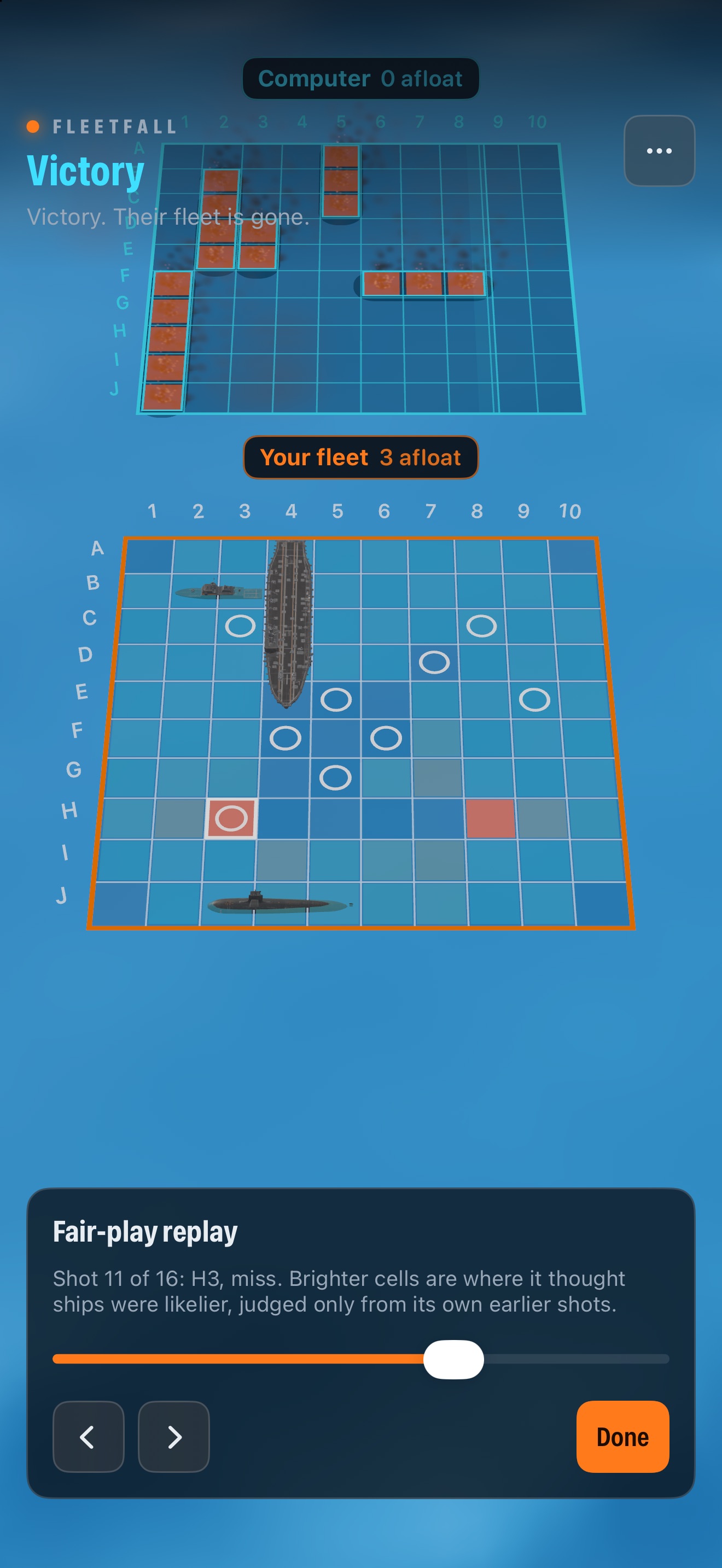
Take on the computer Admiral at Easy, Normal or Hard. It never sees your ships: after each game, the Fair-play replay shows every one of its shots over the heat map it chose from, worked out only from its own earlier shots.

Place your fleet on a living ocean, call your shots on the enemy’s grid, and sink their fleet before they sink yours — for iPhone and iPad.
A classic grid duel rebuilt in 3D: ships riding real waves, missiles arcing across the sea, and every hit, miss and sinking played out in full.
Take on the computer Admiral at Easy, Normal or Hard. It never sees your ships: after each game, the Fair-play replay shows every one of its shots over the heat map it chose from, worked out only from its own earlier shots.
Play Standard 10×10 with 5 ships, Large 12×12 with 7, or Grand 14×14 with 9. Add sea mines if you dare: hit one and it damages your own ship at that coordinate.
Fight on the Open Ocean, around Island Life, through Stormy Weather, off City Harbor or below a Desert Outpost. Add gulls, rain in the storm and ocean sound, pick Realistic or Mild battle audio, and feel every impact through haptics.
Challenge a friend on the same Wi-Fi network, each on your own iPhone or iPad. The host approves who joins, and games save and reconnect if someone steps away. No accounts and no internet server.
How it plays
Drag your ships into place on your own grid and turn them as you like, or let the game place them for you. Then take turns calling coordinates on the enemy’s holographic grid.
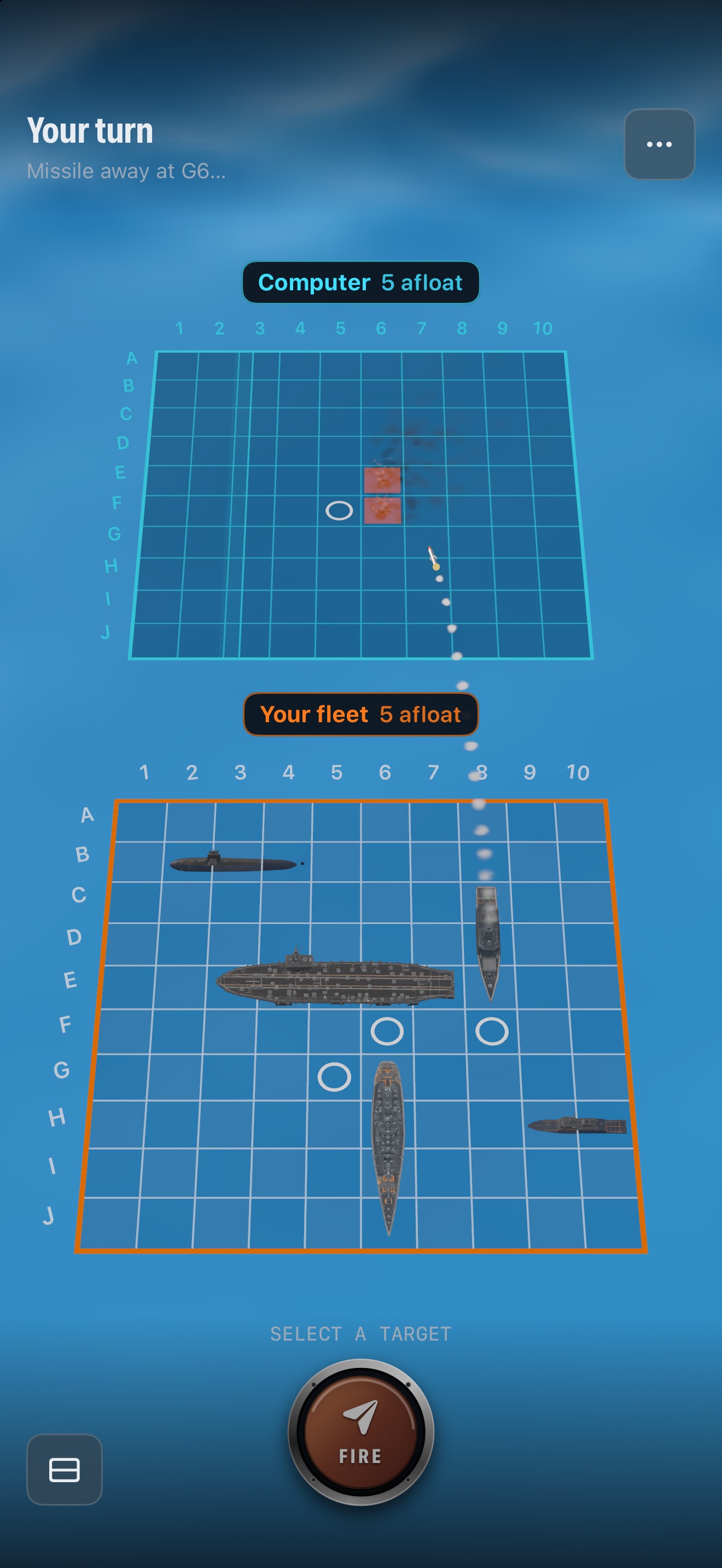
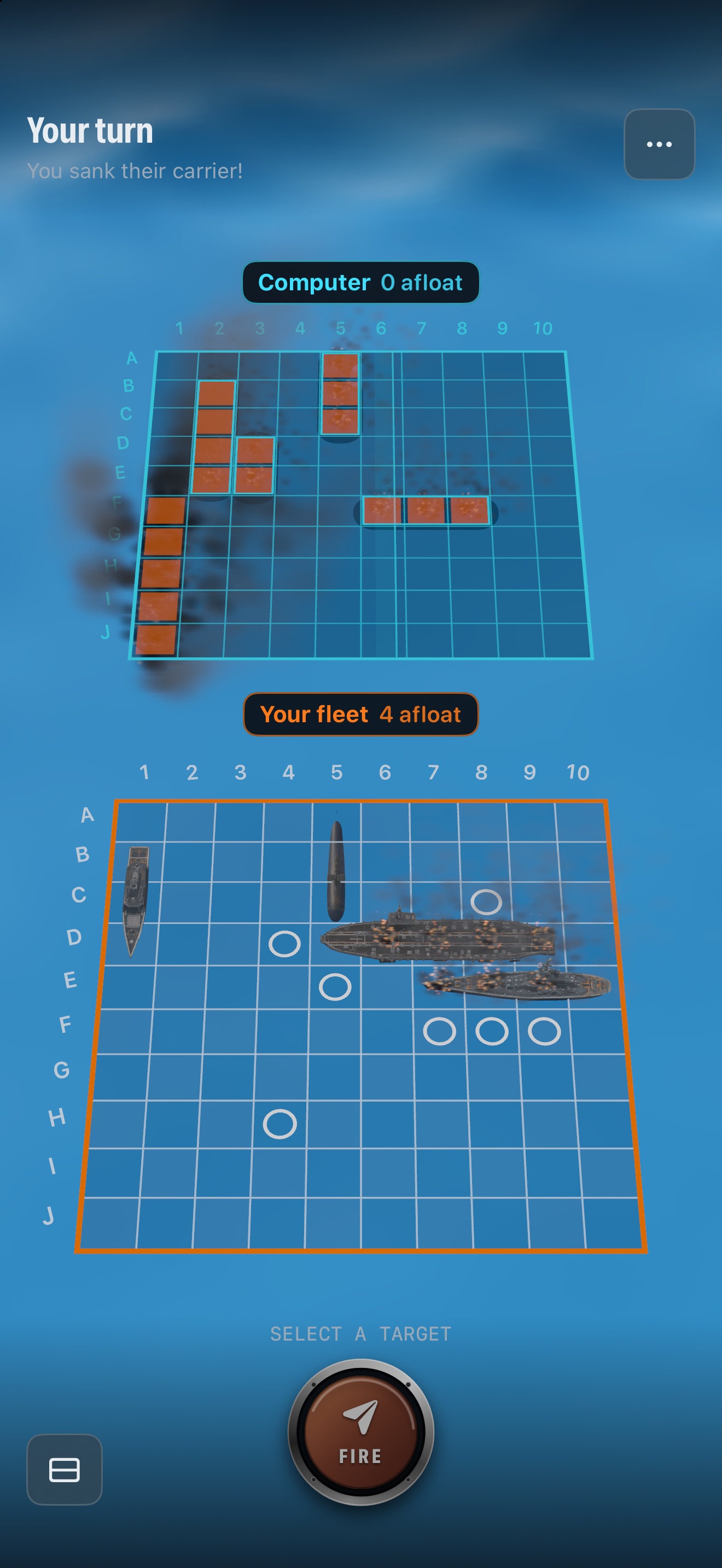
Each shot is a cinematic missile: a splash for a miss, an explosion and fire for a hit, and a multi-stage sinking when the last section of a ship goes down. In battle, switch between a flat view of both boards, which you can pinch to zoom, and an ocean view you can turn all the way around. Your records — wins, losses and accuracy — are kept on your device.
Fleetfall shows a full-screen ad between games, never during play. The optional Remove Ads purchase turns ads off permanently. It is one purchase, with no subscription, and you can restore it from Settings on any device signed in to the same Apple Account.