Read along as it plays
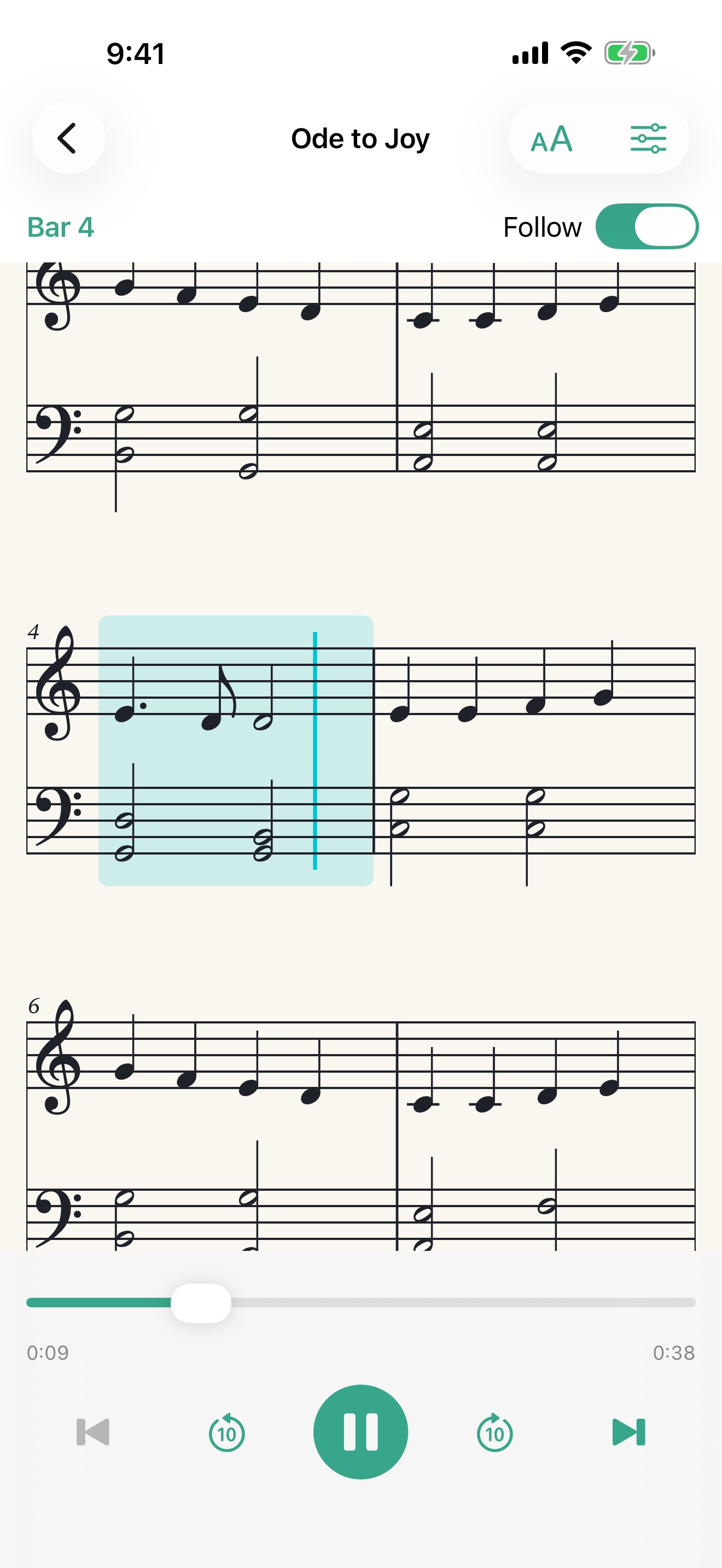
The score scrolls with the music and highlights the current bar. Tap a note to jump to it, or tap the clef to restart the line. Note sizes from 50% to 120% fit more bars on screen.

Import your piano scores, line them up, and listen while the notation follows along, bar by bar, on iPhone, iPad and Mac.
Piano Jukebox plays your MIDI and MusicXML files on a sampled grand piano and shows engraved notation with a cursor that tracks every bar—on iPhone, iPad and Mac, offline once your scores are imported.
The score scrolls with the music and highlights the current bar. Tap a note to jump to it, or tap the clef to restart the line. Note sizes from 50% to 120% fit more bars on screen.
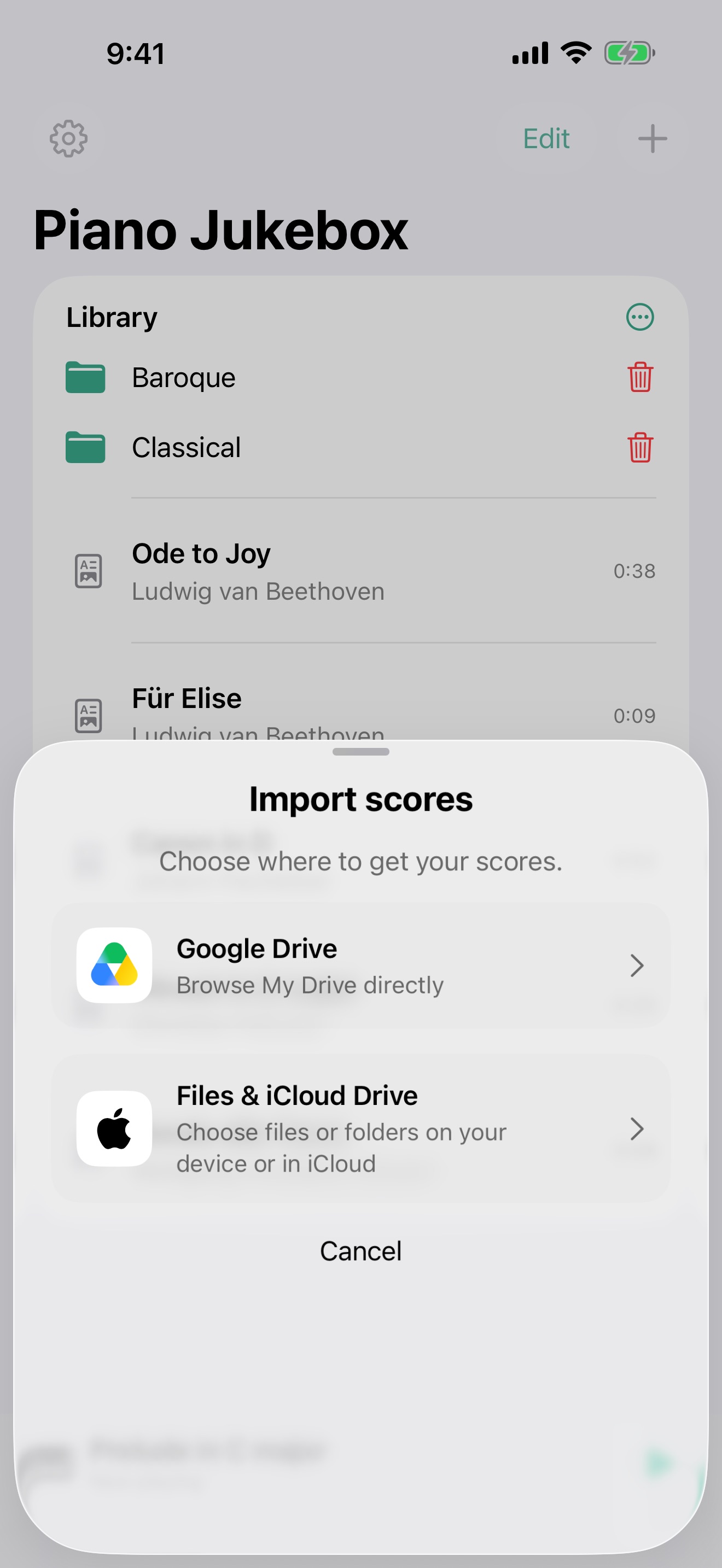
Import single scores or whole folders from Files, iCloud Drive or Google Drive. Folder names and subfolders are kept, and imported copies stay on your device. On the Mac, drop files or folders into the window.
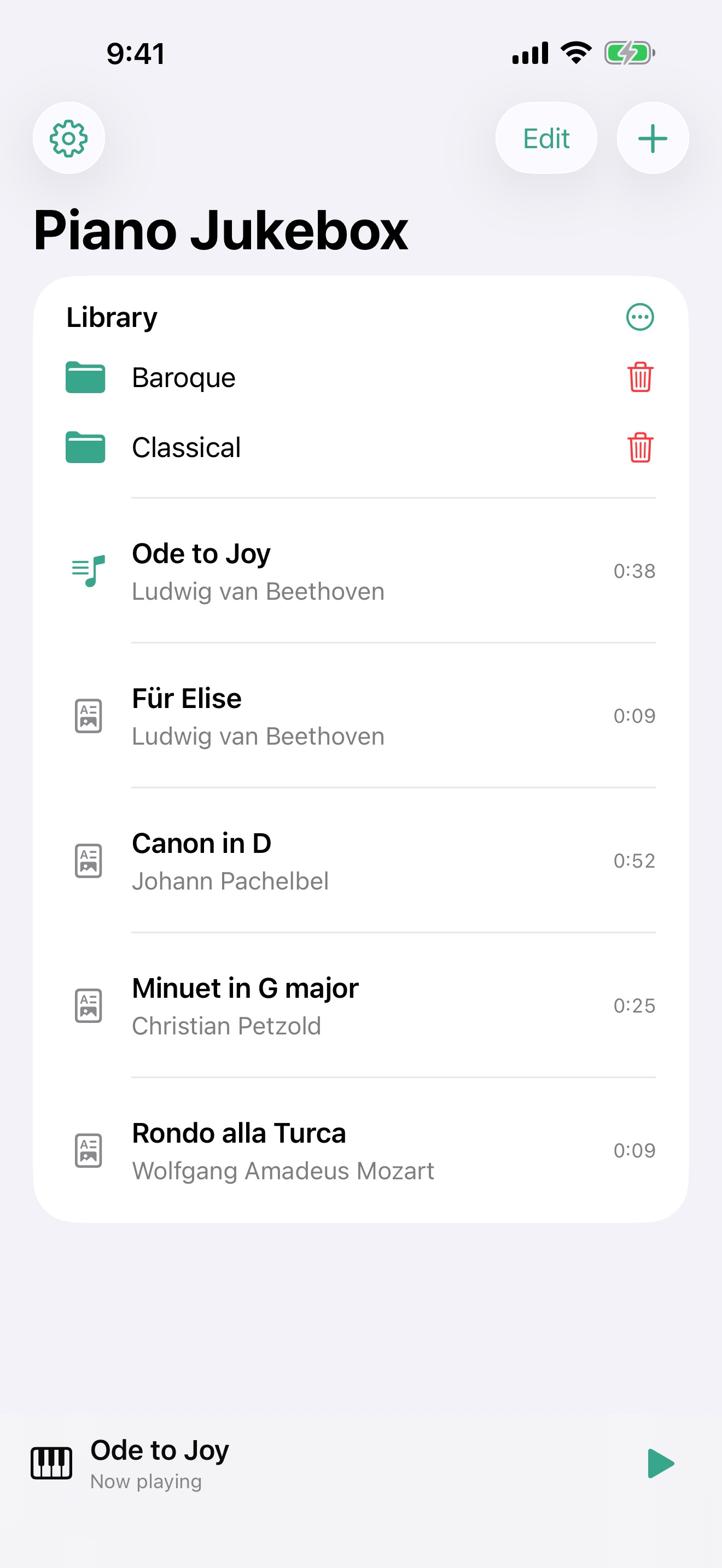
Line up pieces and press play. Adjust speed and volume, and keep listening in the background, from the Lock Screen on iPhone and iPad, or with keyboard shortcuts on the Mac.
In the app
Bring in your scores, keep them in folders, and open any piece to hear it with the notation in view.
Piano Jukebox opens MIDI (.mid, .midi) and MusicXML (.musicxml, .xml, .mxl) scores. Every part plays on piano, and MIDI drum tracks are skipped: Piano Jukebox is a score player for pianists, not a general MIDI player.
Notation for MIDI files is generated from the performance and is approximate. MusicXML scores keep their written notation.
Connecting Google Drive lets you browse your folders and import the scores you choose. Piano Jukebox only reads your Drive—it never changes or deletes anything there—and the files it downloads stay on your device. You can import from Files and iCloud Drive without a Google account. See the privacy policy for details.